You log in to Joker Casino with the phone number or email address you gave when you registered. It takes less than a minute if your credentials are saved in the browser, and a little longer when an SMS code is required. This page explains every sign-in scenario, from the standard login to reaching the site through a mirror when the main address will not open.
Below you will find step-by-step instructions, a comparison of login methods, a breakdown of the usual errors and answers to the questions Ukrainian players ask most often. The material is informational and intended for people aged 21 and over.
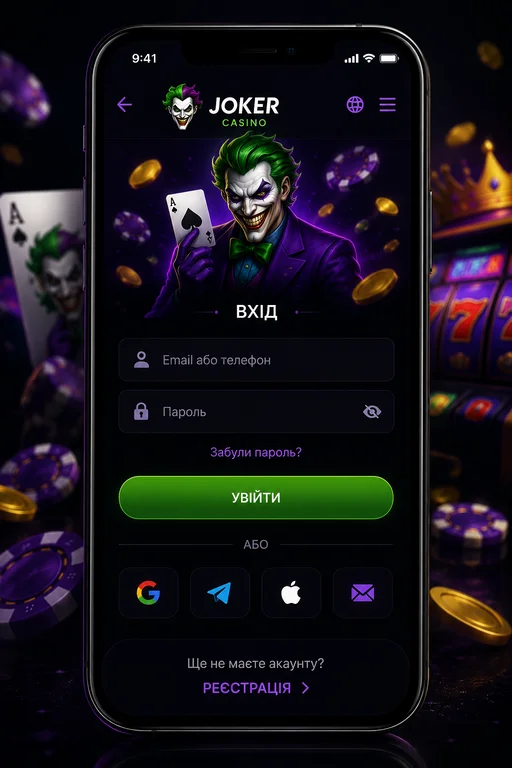
Authorisation follows the classic pattern. The login button sits in the top right corner of the home page, next to the sign-up button.
If you do not have an account yet, you need to create one first: we walk through every field of the form in the registration guide.
The list is short, but every item matters:
A full login cycle with SMS confirmation takes about a minute; without the extra check, a few seconds. A delay of more than two minutes almost always means a problem on the internet provider's side or a stale cached version of the site in your browser.
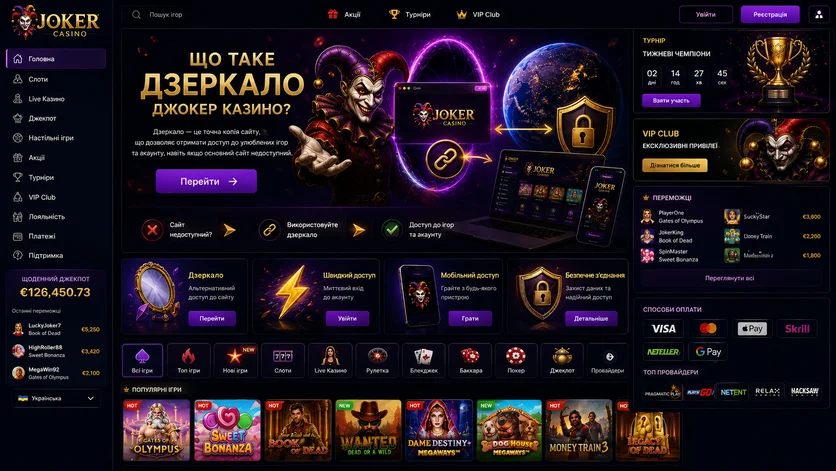
A mirror is a copy of the main site with identical functionality, hosted on a different domain. Your login, password, balance, bet history and bonus status stay the same: the database is shared across all of the operator's addresses.
An alternative domain becomes useful in three situations:
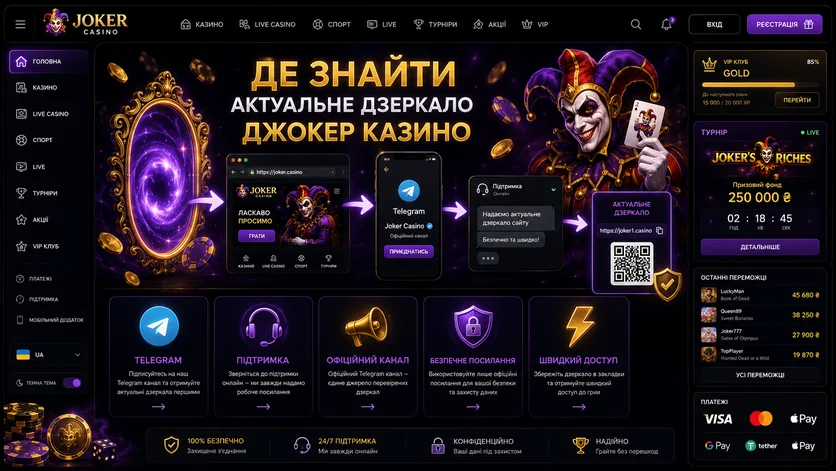
The answer here is short and categorical: from the casino's support service only. The operator asks players not to look for mirrors themselves, and the reason is obvious — that is exactly what most phishing schemes rely on.
We deliberately publish no mirror links: any address found on a third-party resource, in an advert or in a mailing may be a fake. Only the operator gives out a working address — and only at the moment you ask.
Never enter your password on a site you found through an advert or a message from a stranger. Phishing copies of gambling sites are among the most common online scams, as Ukraine's Cyber Police regularly warns.
| Sign | Official mirror | Phishing copy |
|---|---|---|
| Source of the link | Support chat, Telegram, an email from the operator | Spam mailing, banner, comment, search results |
| SSL certificate | Valid, padlock in the address bar | Missing, or the browser warns about it |
| Login and balance | The same as on the main site | Account "not found", you are asked to register again |
| Deposit methods | Ukrainian bank cards, p2p, cryptocurrency | A transfer "to the manager's card", unfamiliar gateways |
| Account currency | Hryvnia | Dollars, euros or roubles instead of hryvnia |
First check whether other sites work. If only one domain is affected, try mobile data instead of home Wi-Fi: different providers apply different filtering rules. When no domain responds at all, message support on Telegram — they will confirm the server status and give you a working address.
Pick the option that matches your device and your habits.
| Method | What you need | Approximate time | Who it suits |
|---|---|---|---|
| Phone + password | A +380 number and a password | 10–15 seconds | Most players |
| Email + password | A confirmed mailbox | 10–15 seconds | Anyone who changed their number |
| Android app | The app installed from the operator's site | a few seconds | Regular Android players |
| Browser on iPhone or desktop | Any modern browser | 10–15 seconds | iOS, macOS and Windows users |
| Saved browser session | Cookies enabled | Instant | A personal computer |
According to StatCounter, mobile devices generate most of the world's web traffic, and online casinos are no exception. The site adapts to the screen automatically, so you can play straight from the browser.
Android users also get a separate app: the download link and installation instructions sit in the download tab of the site menu. There is no separate program for the iPhone — you log in through Safari or another browser, and you can add the site to your home screen so it opens in a single tap.
On a desktop the main risk is passwords saved in someone else's browser profile. If you share a computer, turn off autofill and end the session with the "Log out" button. Simply closing the tab does not always terminate an active session.
The account area is where you manage everything. Straight after authorisation you land on a panel showing your balance and active bonuses.
First, check that your email address is correct: password reset links go there. Second, set a deposit limit — it takes a minute and saves you from impulsive decisions. Third, read the cashier terms, so you are not discovering them at the moment you submit your first withdrawal request.
| Operation | Terms |
|---|---|
| Minimum deposit | ₴115 |
| Maximum deposit | ₴25,000 by card or p2p, up to ₴500,000 in cryptocurrency |
| Deposit fee | 0% |
| Minimum payout | ₴2,000 |
| Payout limits | ₴200,000 per week, ₴400,000 per month |
| Payout processing time | within an hour |
| Payout destination | only the method the deposit came from |
That last line explains most refusals: if you funded the account by card, you will not be able to withdraw to a crypto wallet, and vice versa.
Most problems are solved in a few minutes without contacting support. Here they are, in order of frequency.
The most common cause. Check the keyboard layout, that Caps Lock is off and that there is no space at the start of the line. After several failed attempts the form may lock temporarily — a standard brute-force protection.
Check your signal strength and that your mobile account has credit. A repeat request is usually available after about a minute.
If the site will not open at all while other resources work, DNS filtering is the likely cause. Try switching to public DNS servers, for example Google Public DNS or Cloudflare 1.1.1.1. The alternative is to ask support for a mirror address.
Outdated cookies conflict with the new version of the site. Clear the last day's data or open the page in private browsing mode.
If you previously activated self-exclusion or a time-out, access stays closed until the chosen period ends. Cancelling such a decision early is normally impossible — that is the whole point of the tool.
Venue rules allow one account per person. Trying to create a second one leads to a block. If you have forgotten which number the profile is registered to, contact support.
Sometimes the cause is not you. During a server update the login form can return an error for a few minutes. Wait and try again without changing your password.
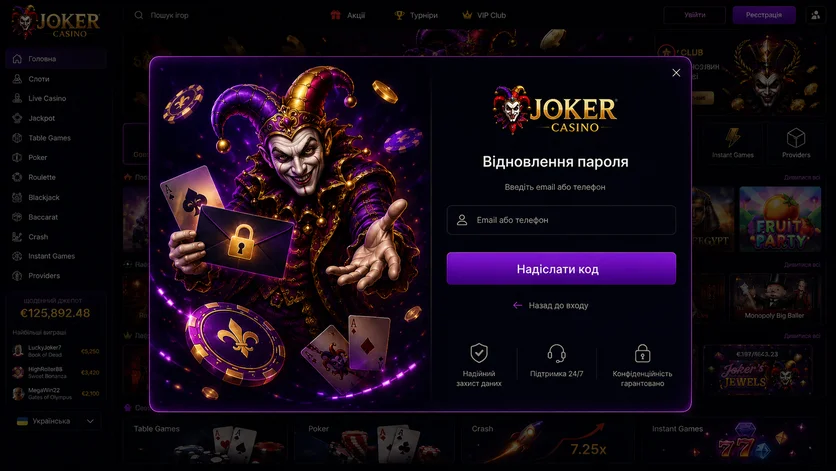
Forgotten your password? The procedure takes a few minutes.
Lost access to both the number and the mailbox? Then you need to contact support — the operator will ask you to confirm that the account is yours.
Guidance on creating strong passwords is published by the National Cyber Security Centre. It applies to any online service.
Without an account there is nothing to log in to, so a profile comes first. Registration takes four steps:
One thing worth knowing separately: slots are available in demo mode without registration. If you only want to see how a particular game works, you do not need an account — read more about the catalogue and the providers in our Joker Casino review.
Gambling is a form of entertainment, not a way to earn. Gambling disorder is recognised as a condition in the World Health Organization's ICD-11 classification.
One feature of this venue matters here: it runs on a Curacao licence rather than a Ukrainian one, so it cannot see Ukraine's register of self-excluded people. Limits and time-outs set in your account area apply within this site only.
The signs that it is time to stop, and the contacts of services that help, are gathered on our responsible gambling page. Free counselling is offered by the international service Gambling Therapy.
No. A mirror connects to the same database. Your balance, bet history and bonus progress stay exactly as they were.
From support only: the live chat on the site, Telegram or email. The operator explicitly advises against searching for mirrors yourself — an address found in search results or an advert may be a phishing copy.
Platforms usually allow a single active session: logging in on a second device ends the first. It is a protection against unauthorised access.
Contact support and give the phone number or email of the profile. The cause may be a suspected duplicate account, an activated self-restriction or a question raised by a payment check. The grounds for the block should be explained to you.
In most cases a DNS change or a mirror from support is enough. Bear in mind that masking your location may conflict with the platform's rules and complicate payment checks.
Because the operator sends money only to the method the deposit came from. That is a cashier rule, not a fault. If the card has been reissued or the wallet lost, support handles the case.
Logging in to Joker Casino takes nothing complicated: a phone number or email, a password and, if required, an SMS code. If the main domain is unavailable, support will give you a working address — and that is the only safe source.
The key points worth remembering:
Play deliberately, set limits and stake only what you can afford to lose. 21+.